


SATF Drag. Shake. Convert.
A tiny menu that pops up right where you drag a file. Convert, extract, copy or shelve it in one move, without opening another app.

v1.2.134 downloadsmacOS · WindowsSource code
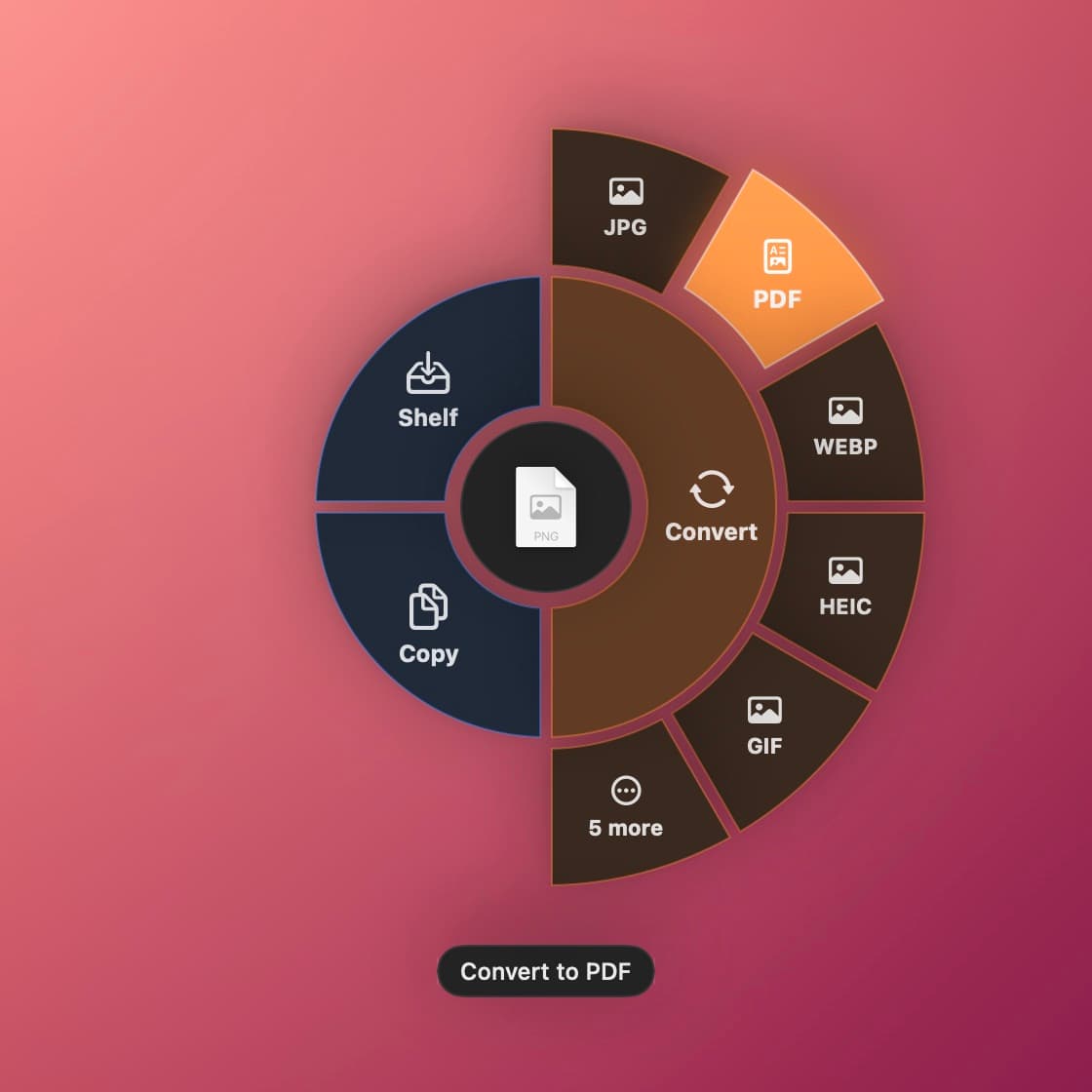
See it in 30 seconds.
From dragging a file to the finished result, the way you'll actually use it.
Drag, shake, drop
Give the file you're dragging a little shake, then drop it on the format you need. The new file lands next to the original.
Edit and merge
Squeeze a photo under 1 MB, or turn several images and documents into one PDF.
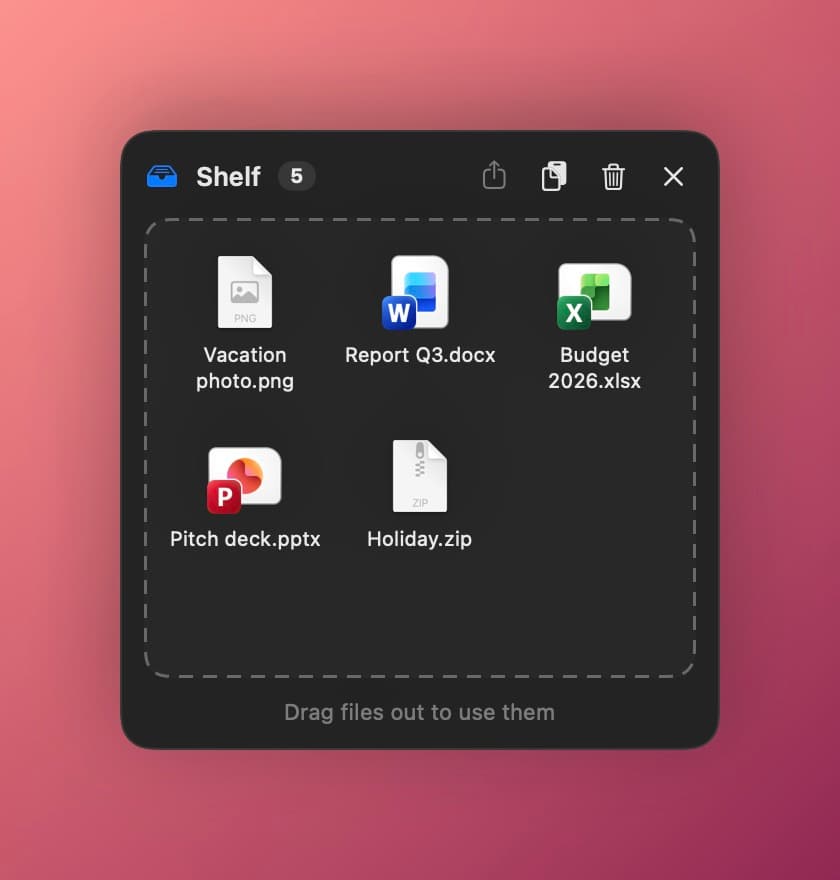
Shelf
Collect files from different places and drag them all out at once.
Three moves. No Export menus.
SATF lives quietly in your menu bar or system tray and shows up only when you need it.
Drag a file
Pick up any file, or several, from Finder, Explorer or your desktop.
Give it a little shake
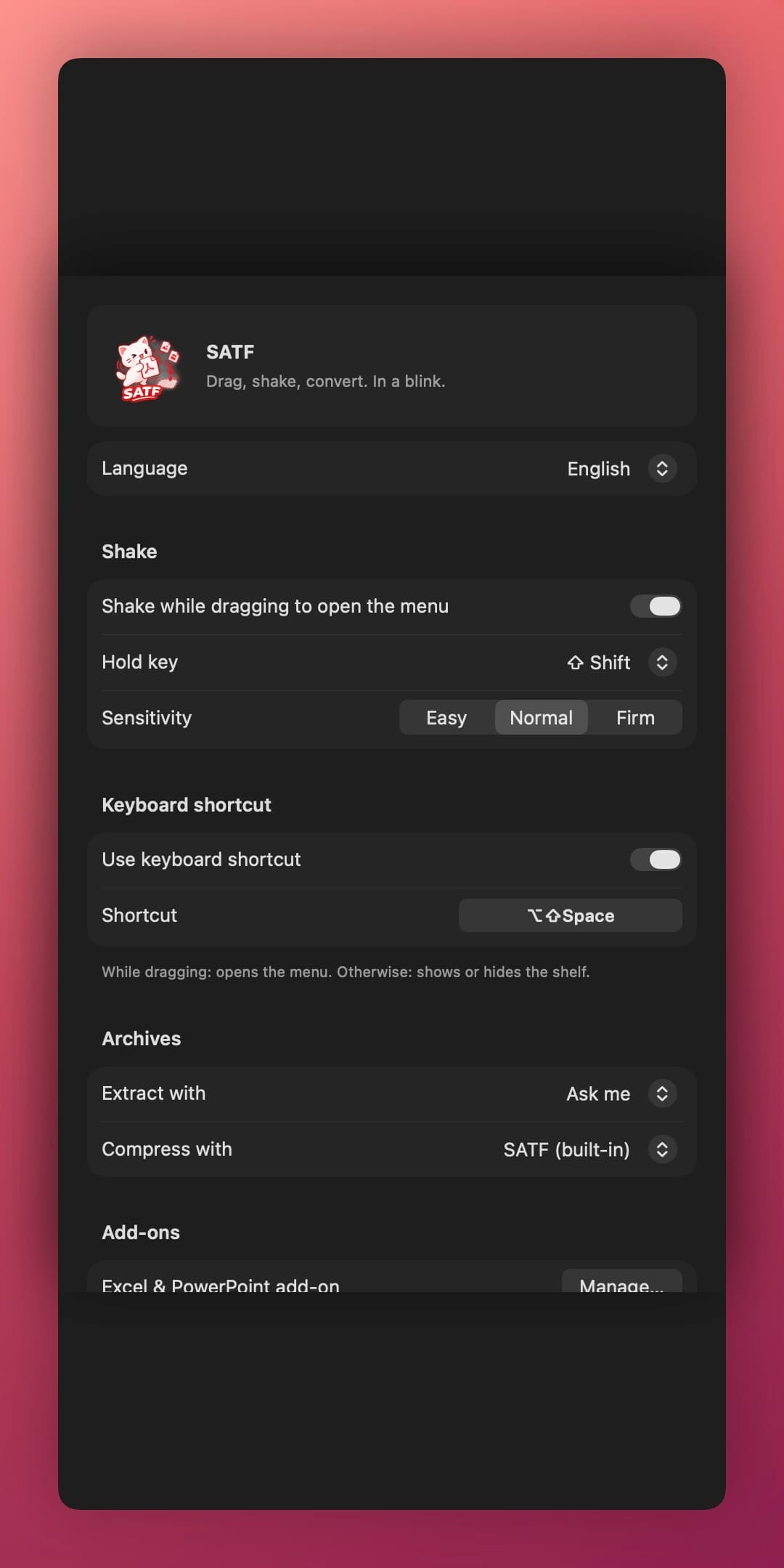
Hold Shift and shake it left and right. Or press ⌥⇧Space / Alt+Shift+Space.
Drop it on a format
The new file appears next to the original. The original is never changed.
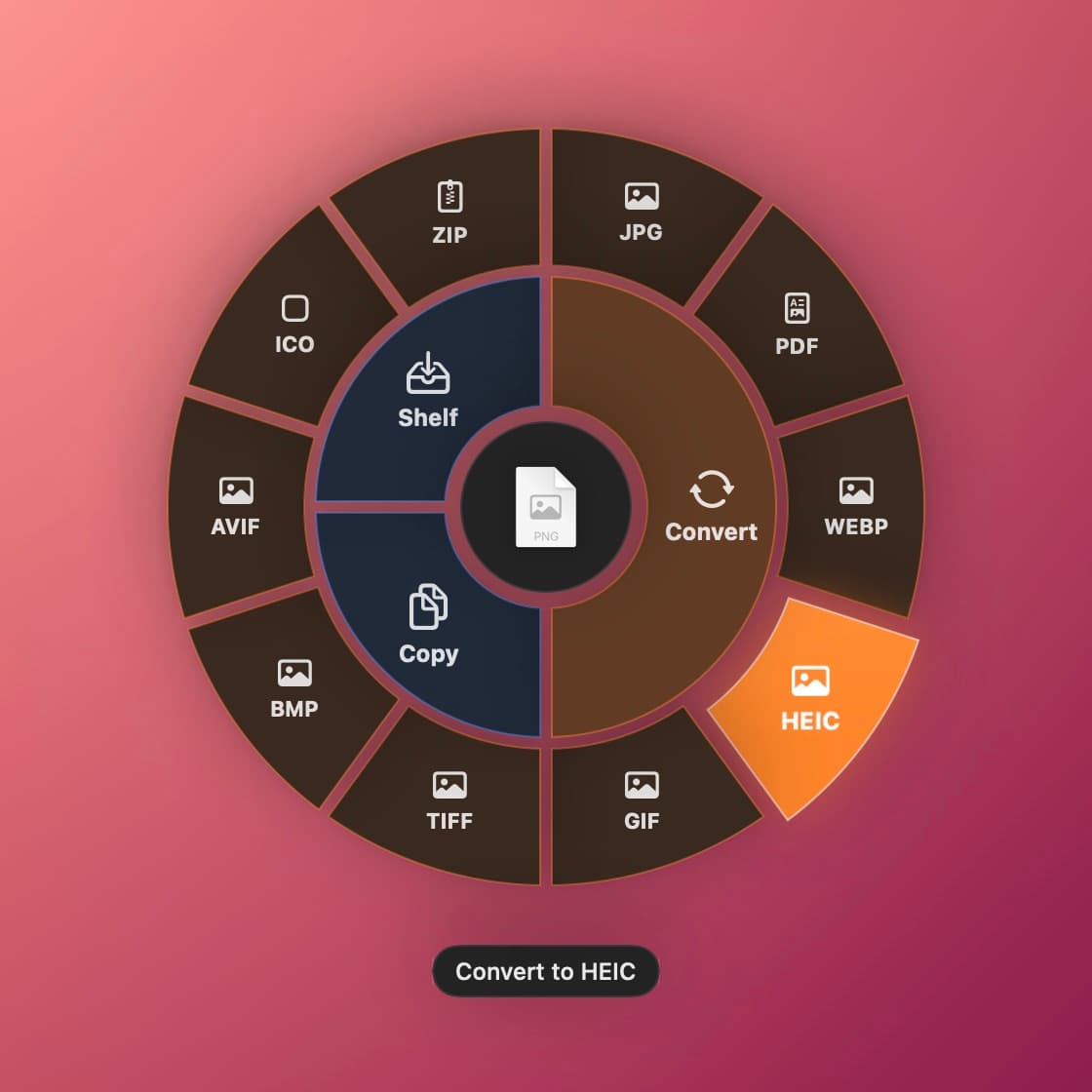
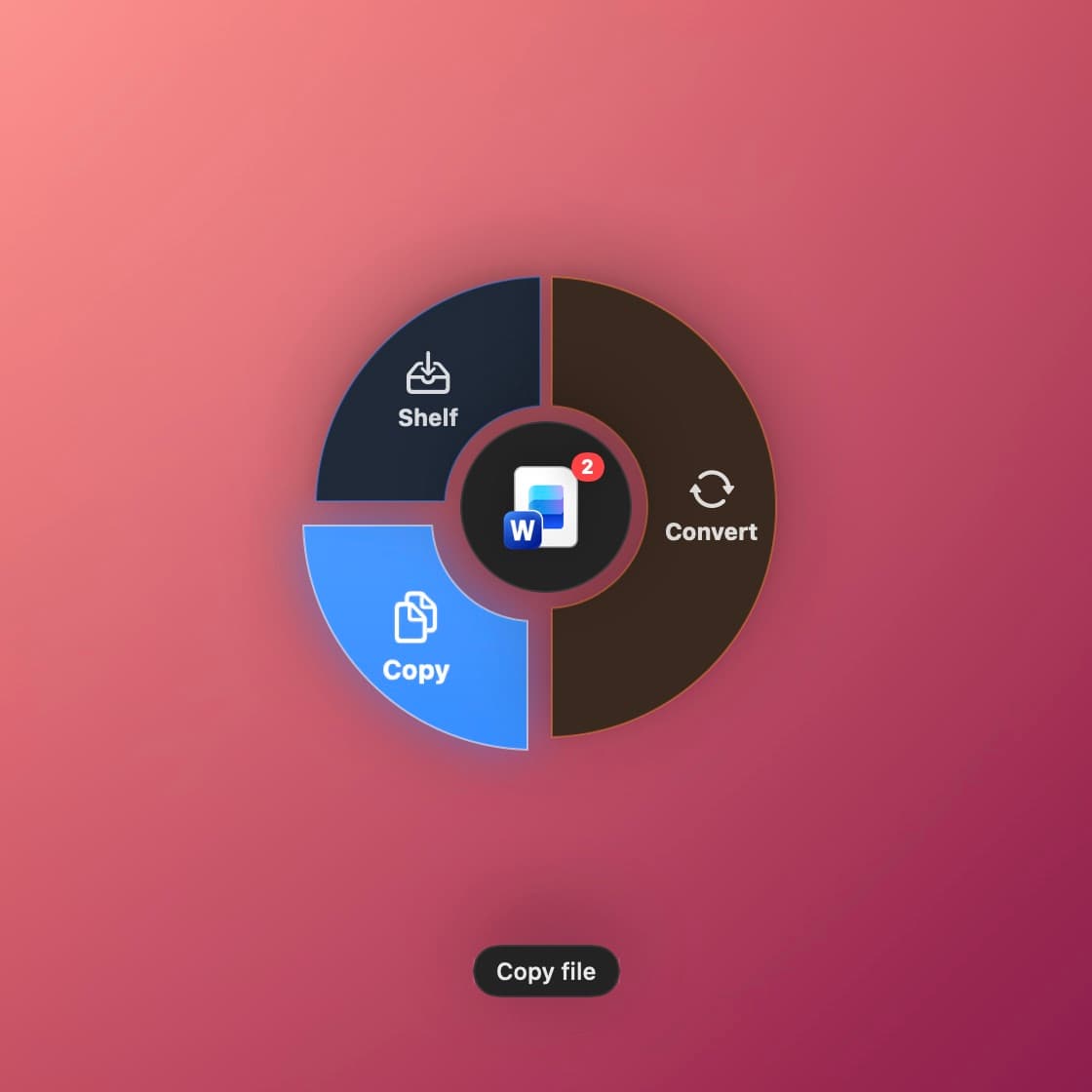
Everything you reach for, right at your cursor
The formats you use most come first. Everything else is one hover away.
Images
JPG, PNG, PDF, WebP, HEIC, GIF, TIFF, BMP, AVIF and ICO.
Documents
Word, Excel and PowerPoint to PDF. Merge several files into one PDF, or split a PDF into pages.
Video & music
MP4, MOV, MP3, M4A, WAV and AIFF. Pull the audio out of a video.
Archives
Extract zip, rar, 7z, tar, gz and more. Works with 7-Zip, WinRAR, Keka or The Unarchiver if you prefer.
Shelf
A floating tray to collect files from different places, then drag them out together.
Private by design
Everything happens on your computer. No uploads, no accounts, no tracking.
What it converts
New files are saved next to the original.
| You drag… | macOS | Windows |
|---|---|---|
| Images: PNG, JPG, HEIC, WebP… | JPG, PNG, PDF, WebP, HEIC, GIF, TIFF, BMP, AVIF, ICO | JPG, PNG, PDF, WebP, GIF, TIFF, BMP |
| JPG, PNG, TXT, Split (one PDF per page) | JPG, PNG, DOCX ¹, Split (one PDF per page) | |
| Word: DOCX, DOC, ODT, RTF | PDF, DOCX, TXT, RTF, HTML, ODT | PDF, DOCX, TXT, RTF, HTML, ODT ¹ |
| Excel: XLSX, XLS, ODS | PDF, CSV ¹ | PDF, XLSX, CSV ¹ |
| PowerPoint: PPTX, PPT, ODP | PDF, PNG, JPG ¹ | PDF, PNG, JPG, PPTX ¹ |
| Video: MP4, MOV, MKV… | MP4, MOV, M4A | MP4, MP3, M4A, WAV ² |
| Audio: MP3, WAV, M4A… | M4A, WAV, AIFF | MP3, M4A, WAV ² |
| Archives: zip, rar, 7z, tar, gz… | Extract | Extract |
| Anything else, including folders | ZIP | ZIP |
| Several files: PDF, Word, Excel, PowerPoint, images | Merge into one PDF | Merge into one PDF ¹ |
| Several files of any kind | One ZIP with all of them | One ZIP with all of them |
¹ Uses Microsoft Office if you have it; otherwise the free Office add-on.
² Needs the free Video & music add-on.
Small app. Heavy tools only when you need them.
SATF is about 5 MB on Mac. Bigger tools like LibreOffice download only when you actually need them, and you can remove them anytime to free up space.
Ask, don't assume
Drop an Excel file without Office? SATF asks once, downloads the add-on, then converts your file right away.
Already have Office?
SATF uses Microsoft Office when it's installed and won't ask for anything.
Free up space
See how much each add-on uses and remove it with one click, without uninstalling the app.
Build SATF yourself
Both apps build on a Mac: Swift + AppKit for macOS, C# + WPF for Windows.
Requirements
- macOSto build both apps
- Xcode Command Line Toolsfor the Mac app
- .NET 10 SDK + NSISfor the Windows app
git clone https://github.com/tran-minh-khoi/SATF.git
cd SATFxcode-select --install # once
./build.sh # → build/SATF.app, build/SATF-<version>.dmgbrew install makensis # once, plus the .NET 10 SDK
./build-win.sh # → build/windows/SATF-Setup-<version>.exeThe version number lives in VERSION. All app icons are generated from assets/logo.png.
Get SATF
Free and open source. Bug reports and ideas are very welcome.
34 downloads · macOS 12 · Windows 22
Windows may show “Windows protected your PC” the first time. Click More info → Run anyway.
More from MKTech
Other apps made by MKTech.