
Modern eCard & Widget Ecosystem.
MK Widget Card helps you create professional digital business cards, integrate smart QR codes, and bring important information directly to your home screen through a seamless Widget system on iOS and Android.


4+
widget surfaces
6
plugin-ready modules
100%
privacy & local storage
MK Widget Card
Tran Minh Khoi
Plugin Console
Composable card system
Personal Profile
Display your name, title, avatar, and short bio professionally.
Contact QR
Integrated vCard QR code helps others save your contact info with just one tap.
Payment QR
Supports VietQR, MoMo, or bank account information for convenient transactions.
Social Links
Gather all your Website, Facebook, LinkedIn, GitHub links into a single card.
Comprehensive Digital Identity Solution.
MK Widget Card provides a closed-loop process from profile creation and smart QR code management to instant information display on your phone's home screen.
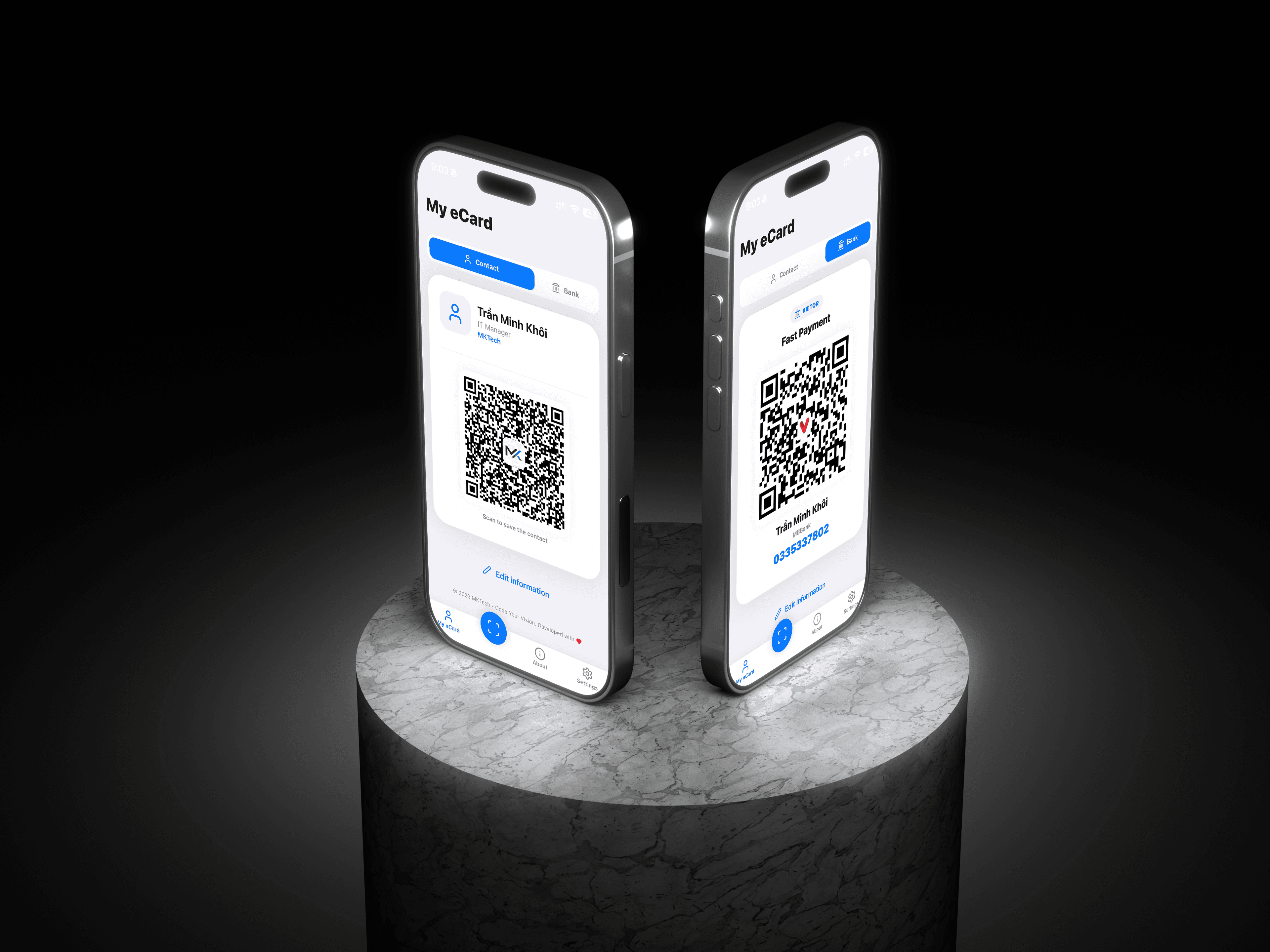
Smart eCard QR
Create digital business cards and vCard-compliant contact QR codes to share professional information in an instant.
Widget Experience
Bring your profile, QR codes, and important shortcuts directly to your home screen through a smooth Widget system.
Security & Privacy
Data is stored locally and securely synced via App Groups, ensuring you always own your personal information.
Quick Contact Save
Scan someone else's eCard code and save it directly to your phone contacts automatically and accurately.
Now live on the App Store.
MK Widget Card was published to the App Store on 15.05.2026. Watch the vertical launch update and explore the iOS experience.
App Store launch
The project is live on the App Store with smart eCard, QR code, and home screen widget support.
Intuitive and Modern App Interface.
Explore the main functional screens of MK Widget Card, optimized for user experience on both iOS and Android.
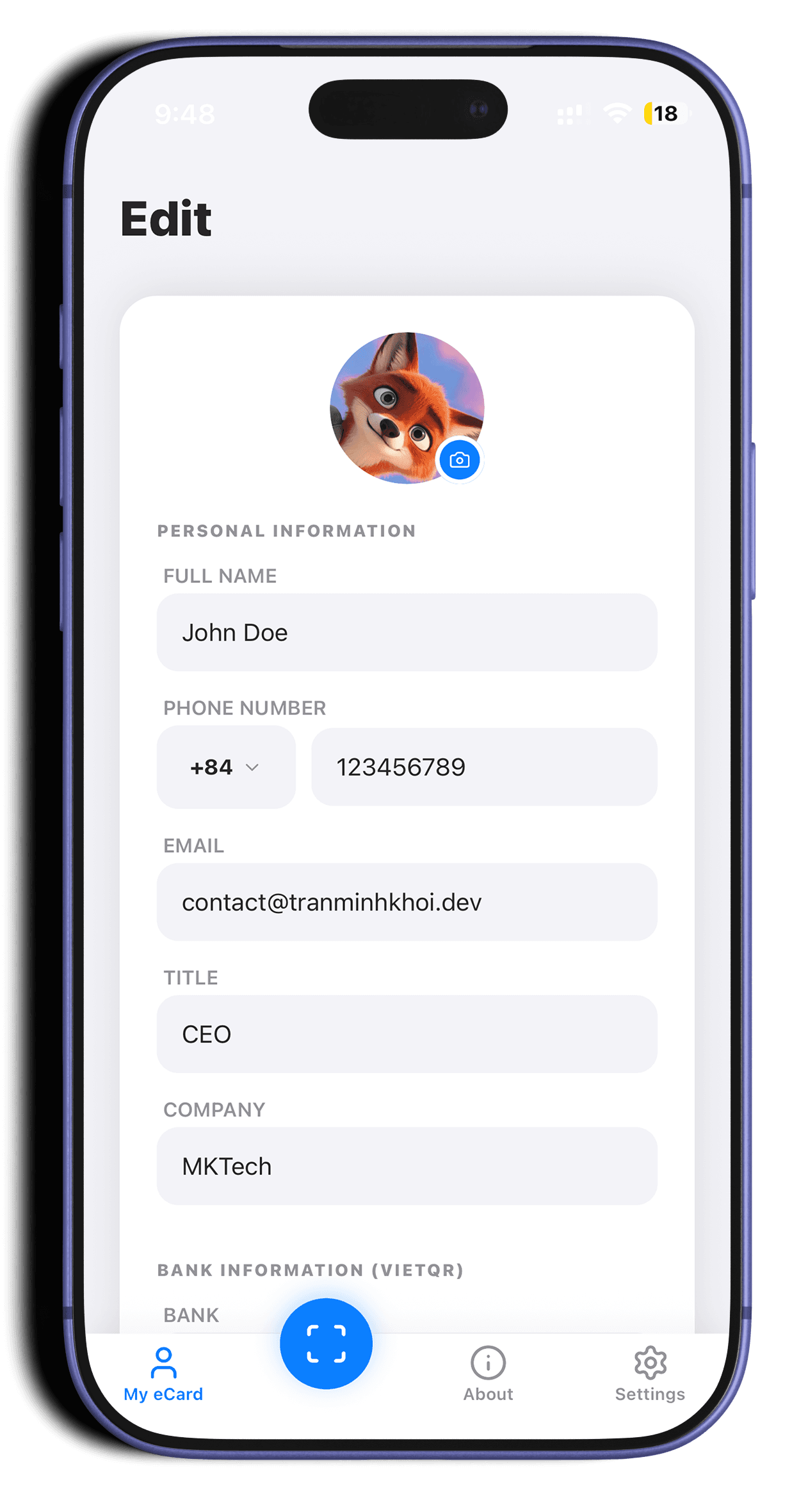
eCard Setup
Interface for configuring personal information, profile pictures, and social links.
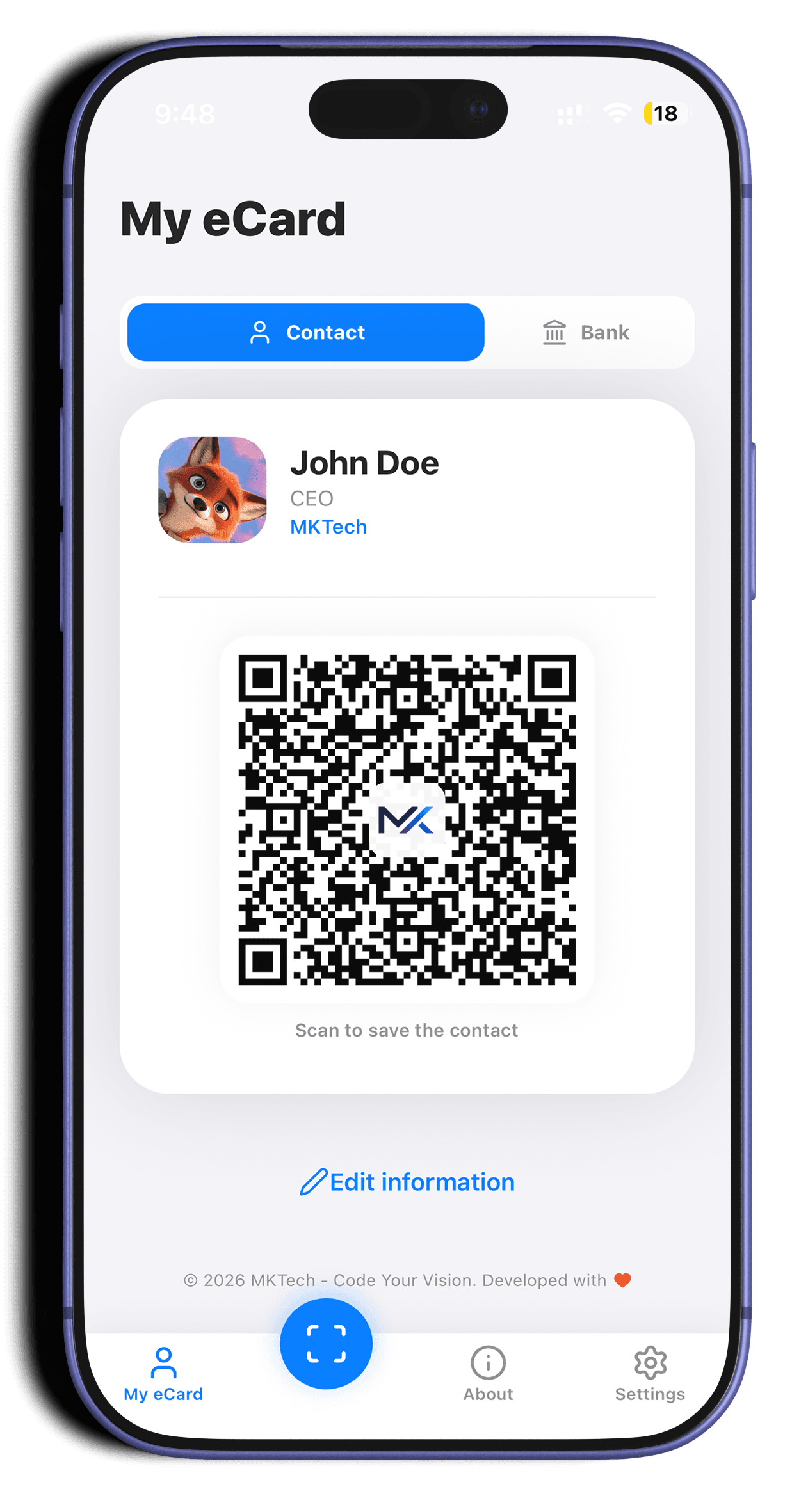
vCard QR Code
Smart QR code display screen that helps save contacts instantly without manual typing.
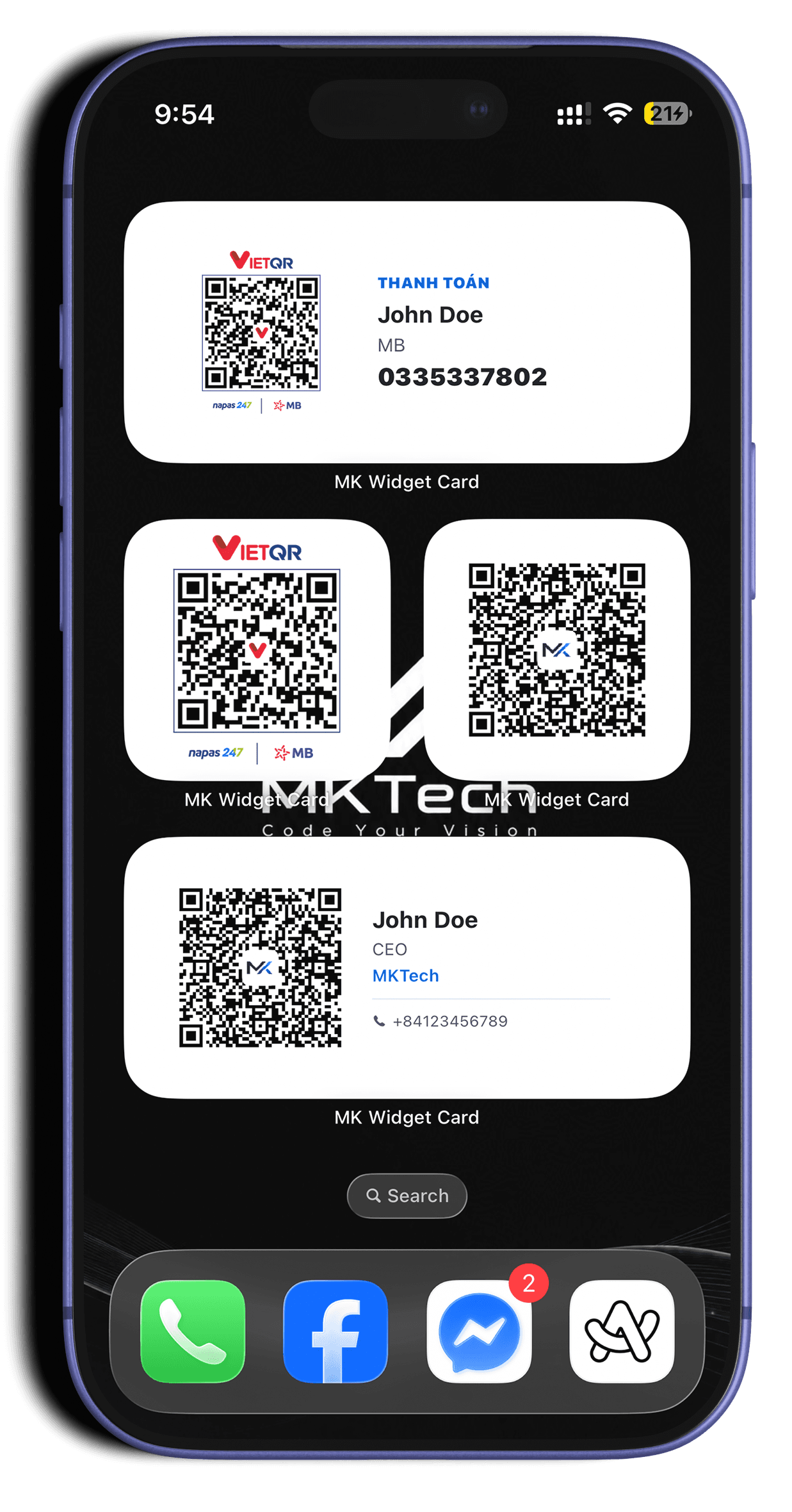
Home Screen Utility
Various Widget templates helping you access your eCard directly from the lock or home screen.
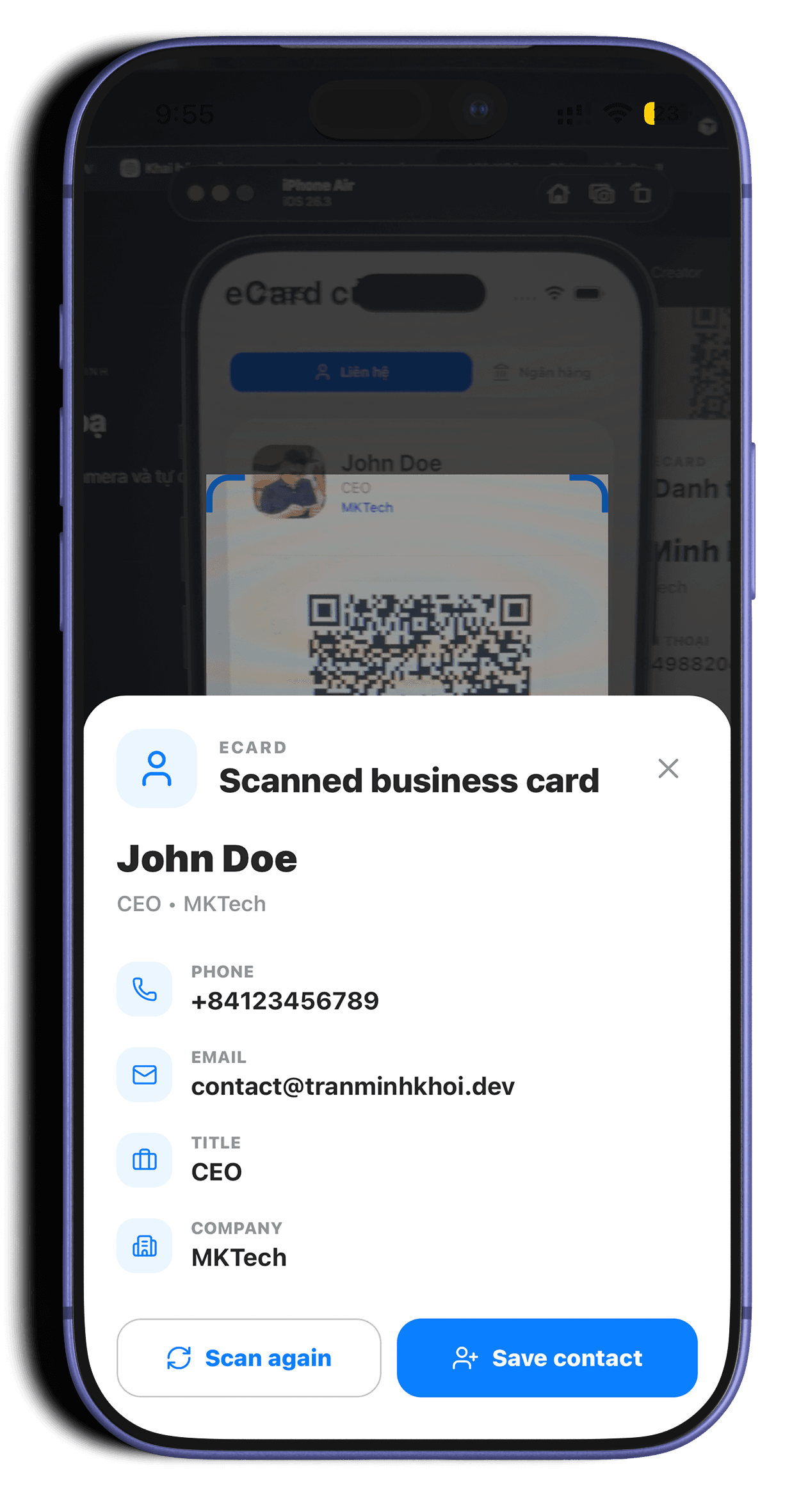
Scan & Save Contacts
Features for scanning eCard codes via camera and automatic integration into phone contacts.
Flexible Component System.
MK Widget Card is built on a modular structure, allowing you to customize your card with various types of information according to your needs.
Personal Profile
Display your name, title, avatar, and short bio professionally.
Contact QR
Integrated vCard QR code helps others save your contact info with just one tap.
Payment QR
Supports VietQR, MoMo, or bank account information for convenient transactions.
Social Links
Gather all your Website, Facebook, LinkedIn, GitHub links into a single card.
Widget Customization
Customize Widget colors, sizes, and styles to match your home screen aesthetic.
Plugin System
Flexible modular structure allows you to easily toggle information components on your eCard.
Project Setup
Clone the repository and install necessary libraries to start development.
eCard Configuration
Enter personal info, select plugins like Social, Payment, or Contact QR.
Widget Experience
Add MK Widget Card into your home screen and enjoy the convenience.
Project Setup & Development Guide.
Steps to get started with MK Widget Card, from environment setup to building the app on mobile devices.
System Prerequisites
Node.js
Version 18 or higher.
Git
Required to clone the source code from GitHub.
CocoaPods
Required for iOS builds on macOS.
Android SDK
Required for Android builds.
git clone https://github.com/MKTech-CYV/MK_Widget_Card.git
cd MK_Widget_Card
npm installnpx expo prebuild --platform ios
npx expo run:iosnpx expo prebuild --platform android
npx expo run:androidCreated by Tran Minh Khoi, optimized for thoughtful personal products.
MK Widget Card is positioned as a modern eCard/widget app: personalized, local data sync, with a clear creator story and reliable enough to accompany you in your work.

Role
Creator
Focus
Digital Identity
Stack
React Native
Status
Released
Ready to experience MK Widget Card.
Download the app now to start creating professional eCards and bring your personal info to your home screen today.